
Code Examples
The API Reference provides automatically generated request examples in multiple programming languages. You can switch between them at any time to match your development environment.
Follow the steps below to select and use your preferred language.
Step 1: Locate the Language Selector
Open any endpoint inside the API Reference section.
On the right-hand side of the page, find the Language selector panel above the request code sample.
This dropdown allows you to switch between different programming language examples.
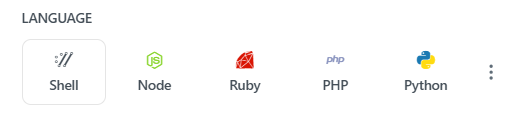
Step 2: View the List of Supported Languages
Click the language selector to open the dropdown menu.
Examples of supported languages include:
- Shell (cURL)
- Node.js
- Ruby
- PHP
- Python
- Java
- JavaScript
- Go
- C#
- C++
- Swift
- Kotlin
- Objective-C
- PowerShell
- HTTP
- JSON
- And others depending on endpoint support
Select the language that matches your development environment.
Step 3: Switch Between Languages
After selecting a language from the dropdown:
- The request example updates automatically
- Headers, parameters, and request body format adjust accordingly
- Syntax changes to match the selected language
This helps you quickly copy working examples without manual conversion.
Step 4: Choose the Right Language for Your Integration
Select the language that matches:
- Your backend application language
- Your scripting environment
- Your automation workflow
If you are unsure which option to use:
Start with Shell (cURL) for quick testing, then switch to your application’s programming language when integrating into code.
Step 5: Copy the Code Example
Once the correct language is selected:
- Locate the request example panel
- Click the Copy button in the top-right corner of the code block
- Paste the snippet directly into your application or terminal
You can modify parameter values as needed before running the request.
You can switch languages at any time while exploring different endpoints in the documentation.
Updated 15 days ago