
Request and Response Structure
Each endpoint page in the API Reference is organized into clearly defined sections that describe how to construct requests and interpret responses.
Understanding this structure helps you quickly locate required parameters, review request formats, and validate responses during integration.
The endpoint layout follows a consistent top-to-bottom structure across all API pages.
Endpoint Overview Section
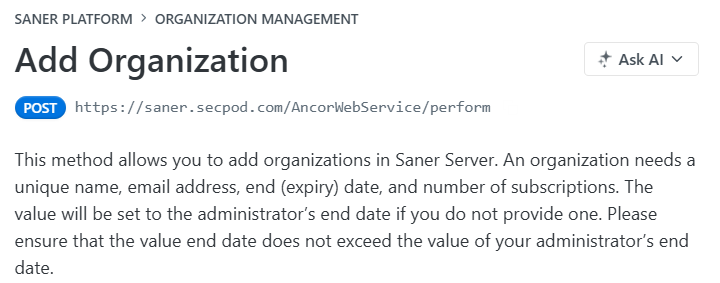
At the top of each endpoint page, you will find:
- Endpoint name
- HTTP method (for example, POST)
- Base URL
- Short functional description of the endpoint
This section provides a quick understanding of what the endpoint does before reviewing its request parameters.
Parameter Table
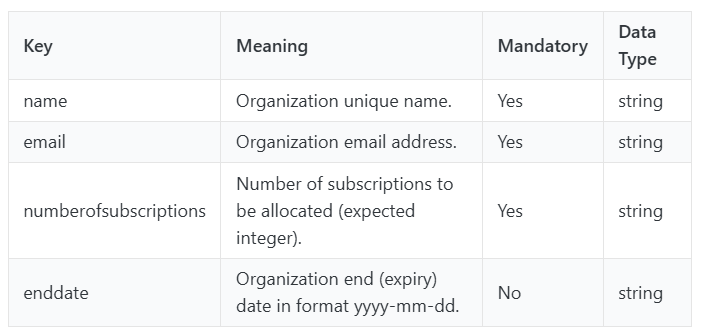
The parameter table provides a structured summary of inputs supported by the endpoint.
It typically includes:
- Parameter name
- Description
- Mandatory or optional status
- Data type
This table helps you quickly identify which parameters are required before sending a request.
Query Parameters
Query parameters are appended to the request URL and are used to refine or filter requests.
These may include:
- Account identifiers
- Pagination controls
- Search filters
- Optional modifiers
Required query parameters are marked accordingly in the endpoint interface.

Headers
Headers provide additional request metadata required for processing API calls.
Common header values include:
- Authentication credentials (API key or token)
- Content type
- Accept format
Header fields appear in the credentials or request configuration panel on the endpoint page.

Request Body
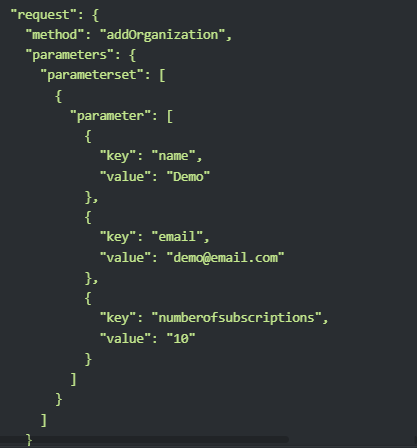
The request body contains structured data required by the endpoint.
This section typically includes:
- Method name
- Parameter objects
- Key-value pairs
- Nested request structures
Each request body field includes:
- Parameter name
- Data type
- Description
- Mandatory status
Every API endpoint includes a sample request schema to guide correct input formatting.
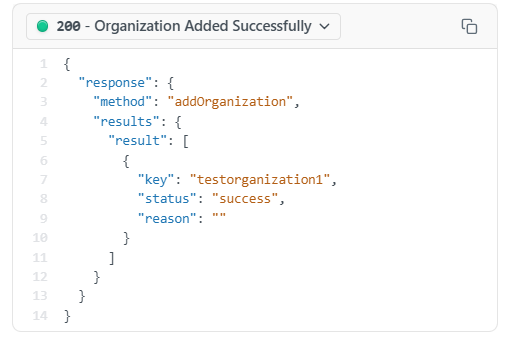
Example Responses
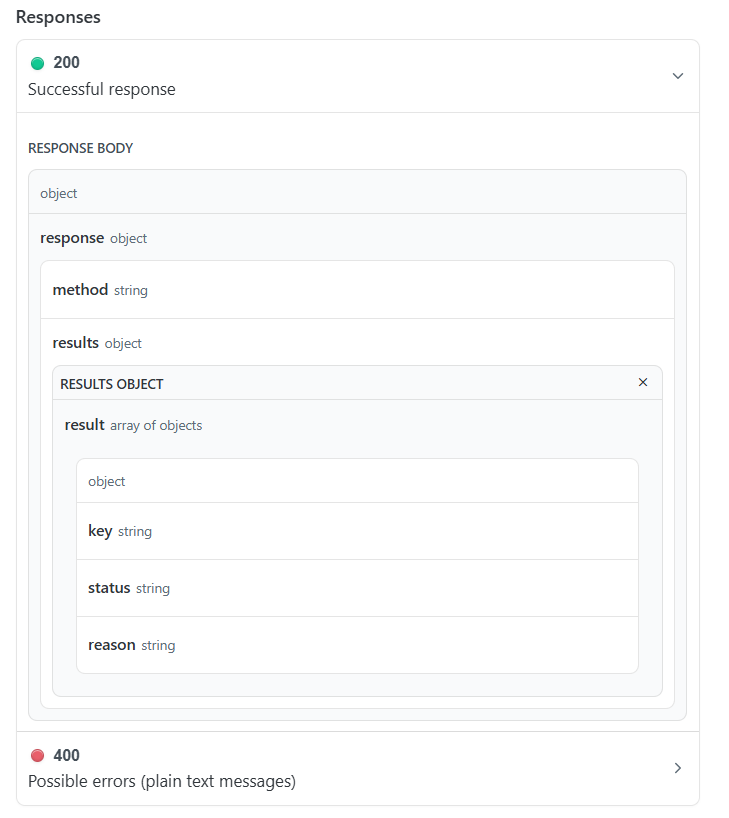
Each endpoint includes example response schemas to demonstrate expected output formats.
These examples help you:
- Understand returned data structure
- Validate successful responses
- Interpret returned fields correctly
Example responses appear in the Responses section of the endpoint page.
Status Codes and Error Responses
Each endpoint documents possible response status codes, including both successful and error scenarios.
Typical status codes include:
- 200 — Successful request execution
- 400 — Invalid request or parameter error
- Additional endpoint-specific error cases where applicable
Every API reference page includes sample success responses and possible error cases to assist with troubleshooting during integration.
Endpoint Page Navigation Flow
Most endpoint pages follow this structure from top to bottom:
Endpoint Overview
Parameter Table
Query Parameters
Headers
Request Body
Example Responses
Status Codes and Error Cases
This consistent layout makes it easier to locate required information when working across multiple endpoints.
Updated 5 months ago