
Your First API Call
This section explains how to make your first API request using the interactive ReadMe API Reference interface.
Follow the steps below to execute a sample request.
Step 1: Click on the API Reference Menu Bar
From the top navigation panel:
- Click on API Reference
This will display all available API categories.

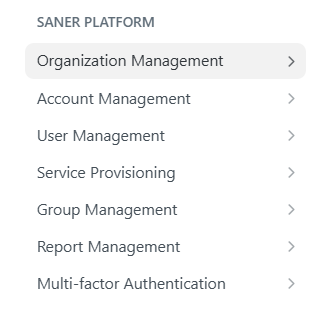
Step 2: Select a Section (Example: Organization Management)
Inside API Reference:
- Locate Organization Management under SANER PLATFORM
- Click on the section name
This opens the list of endpoints available under Organization Management.
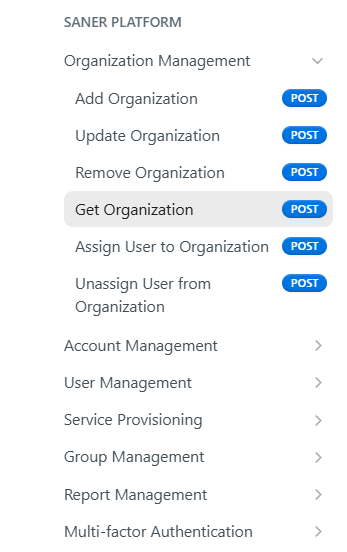
Step 3: Click an Endpoint (Example: Get Organization)
From the list of endpoints:
- Select Get Organization
This will open the endpoint details page where you can test the API request.
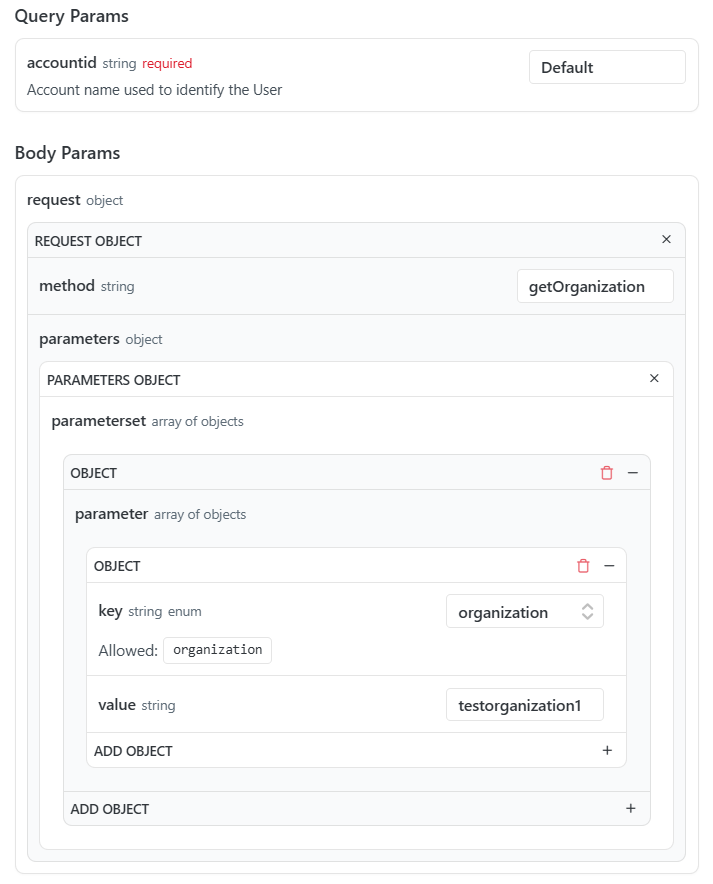
Step 4: Enter Your Credentials
Locate the authentication section in the request panel:
- Enter your API credentials (for example, API key or access token)
Make sure the credentials are valid before continuing.

Step 5: Fill Required Parameters
Enter values for all required parameters:
- Query parameters
- Headers (if applicable)
- Request body (if applicable)
Required fields are marked accordingly in the interface.
Step 6: Click "Try It"
After completing all required fields:
- Click Try It
- The request will be executed immediately
You will see the response displayed in the response panel, including:
- Status code
- Response body
- Response headers
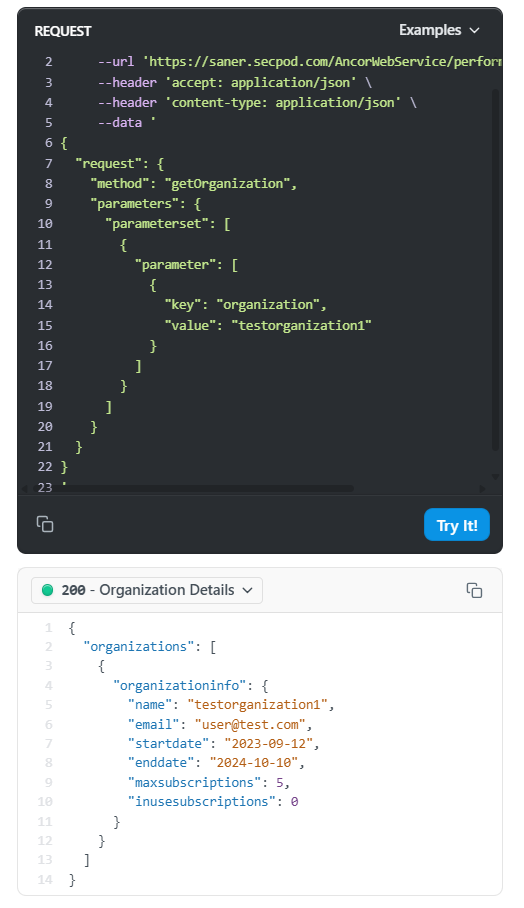
You have now successfully executed your first API request using ReadMe.
Updated 17 days ago